Pango KABOOM! Stack Cubes
Studio Pango - Kids Fun preschool learning gamesEducational
4.417.00 Reviews
- Version
- 1.9.0
- Installs
- 10.00K
- Age Rating
- Everyone
Screenshots
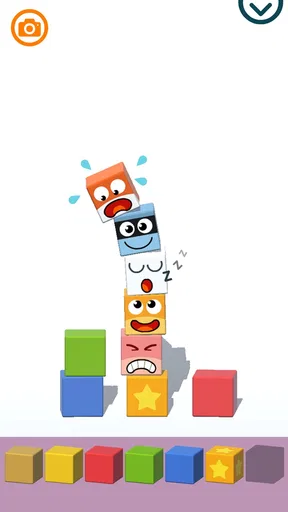
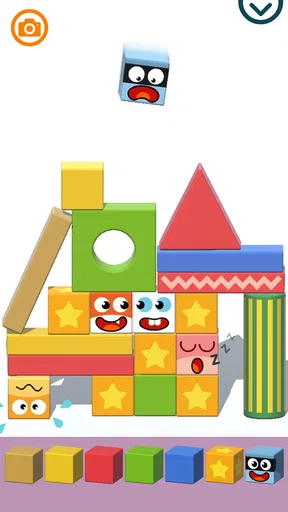
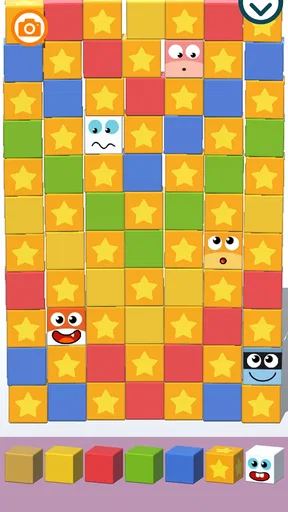
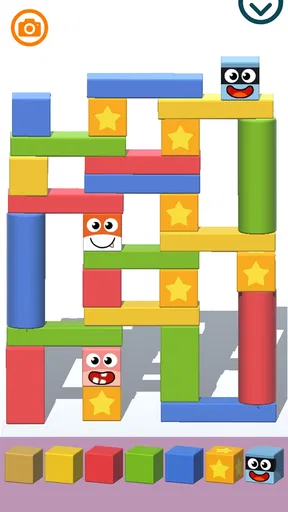
Our Review of Pango KABOOM! Stack Cubes
 Analysis by Appyee
I’d consider this a hands-on play choice for a child who likes to test what happens when a tower gets taller, leans, and finally falls. Pango KABOOM! Stack Cubes is an educational game from Studio Pango - Kids Fun preschool learning games, but its appeal is less about lessons delivered through explanation and more about trying things out. I see the strongest value in the small cycle of choosing, placing, watching, and trying again: it gives a young player room to explore balance and cause and effect without turning every moment into a quiz.
What the paid price means for the decision
This is a paid game, priced at $5.99, rather than a free download with a cost left open-ended. That makes the decision fairly clear: a parent can weigh one known purchase against whether a child is likely to return to this particular kind of play. I wouldn’t buy it expecting an expansive collection of activities; I’d choose it because a child enjoys building and knocking things down, and because the toy-like premise is easy to understand.
The game is listed for Everyone, and its educational category makes it a reasonable candidate for a family looking for a playful activity rather than a competitive game. It has a 4.4 average from around 270 ratings, with over 10,000 installs. Those figures offer a little context, but they can’t tell me whether it will suit a particular child. I’d treat the child’s interest in stacking and experimenting as the better guide.
Unleashing Your Inner Architect
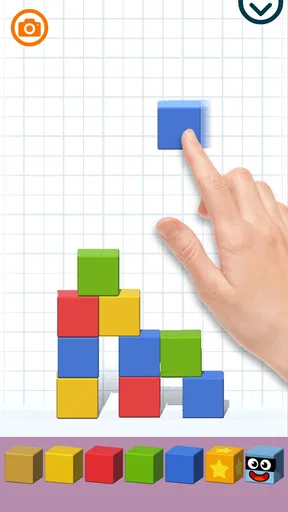
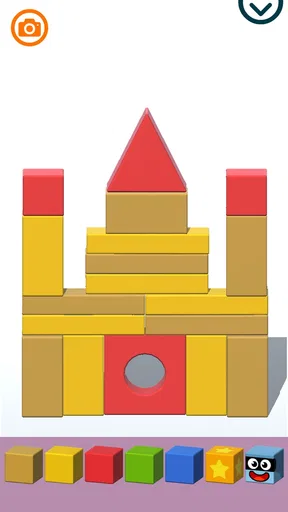
First off, Pango KABOOM! Stack Cubes is all about building. But it’s not just any building; it’s about constructing with flair and finesse. You’re given a sandbox filled with colorful cubes, each one waiting to be stacked, toppled, or spun into your next masterpiece. The game kicks off with a user-friendly interface that’s as inviting as it is intuitive. You don’t need a manual to get started – just dive in and start stacking!
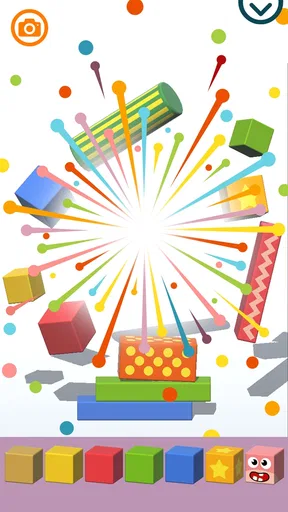
What I love about this game is its simplicity. You’re not bogged down with complicated rules or intricate controls. Instead, you’re free to explore, experiment, and express your creativity. Whether you’re building a towering structure or crafting a quirky sculpture, the only limit is your imagination. And let’s be real – watching your creations wobble and sometimes dramatically crash down is half the fun.
How I’d use the building-and-crash loop
The most useful way to introduce it, in my view, is to let a child begin with a deliberately small experiment: make a short stack, add one cube at a time, and pause to notice when the structure starts to sway. Then try the same height with a different arrangement. That turns a quick play session into a simple observation exercise without making the child feel tested. It also gives a parent something specific to talk about: which placement changed the balance, and what might happen if another block goes on top?
A realistic moment for it is a brief stretch of quiet play while a caregiver is nearby, perhaps after a preschool activity or before moving on to another part of the day. I’d resist treating it as a guaranteed way to occupy a child independently; the more rewarding use may be taking turns making a structure and guessing whether it will hold. The adult does not need to direct every move, but a little shared curiosity can make the physics play more purposeful.
A Visual Feast
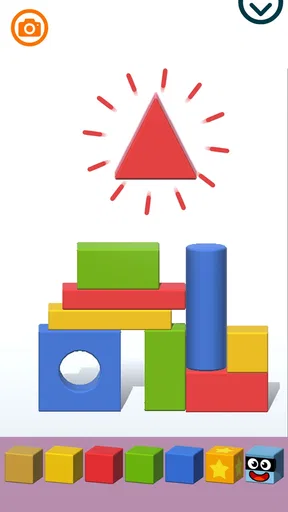
Visually, the game is a treat. The vibrant, colorful cubes pop against the background, creating a playful atmosphere that’s hard to resist. The graphics are crisp and clean, ensuring that each block you place feels satisfying. Plus, the physics engine is spot on, providing a realistic (and often hilarious) tumble when things go awry.
The sound design is equally delightful. Each block placement comes with a satisfying click, and the cheerful soundtrack keeps the mood light and engaging. It’s the kind of game that you can play with the volume up without worrying about annoying your neighbors.
Making play more than a one-time spectacle
To get more out of the central idea, I’d encourage a child to change only one thing between attempts. For example, keep the target height in mind but alter the base, or build a lopsided shape on purpose and watch how it behaves. Comparing two attempts makes cause and effect easier to notice than simply building the tallest possible tower. This is a practical way to slow the play down without adding rules that the game itself may not require.
There is a trade-off here: the same open-ended building that makes the game approachable may feel repetitive to a child who wants a clear story, a steady stream of new characters, or a broader set of educational topics. It is best approached as a focused digital stacking toy, not as a substitute for hands-on blocks or a complete preschool curriculum. If a child is already happiest with real construction toys, the screen version may be a change of setting rather than a major new interest.
Challenging Yet Rewarding
While the game starts off easy, don’t be fooled. As you progress, the challenges ramp up, keeping you on your toes. You’ll encounter different objectives that push your building skills to the limits. Can you build a structure that withstands the test of time? Or maybe one that balances precariously before crumbling in a spectacular fashion?
Each level presents a new challenge, encouraging you to think outside the box (pun intended). The sense of accomplishment when you finally nail a tricky build is incredibly rewarding. It’s these moments of triumph that keep you coming back for more.
Where it sits among children’s games
Compared with a typical preschool learning game built around matching, counting, or answering prompts, this one puts the child’s attention on physical relationships between objects. That makes it a better fit for a young builder who learns by trial and error than for a child who wants direct instruction or a visible lesson sequence. Compared with real blocks, it offers a contained digital space for repeated stacking and collapse, while physical play has the added benefit of handling actual objects. I’d choose between them based on what the child is seeking that day, not assume one replaces the other.
Parents may also wonder whether it is suitable for a very young player. The Everyone age rating is reassuring as a broad content signal, but it doesn’t replace adult judgement about a child’s patience, device familiarity, or need for help. The controls may be simple to start, yet a caregiver can still make the first session smoother by sitting with the child and letting them explore at their own pace.
Perfect for All Ages
One of the standout features of Pango KABOOM! Stack Cubes is its universal appeal. It’s the kind of game that kids and adults alike can enjoy. There’s no complex storyline or mature content to worry about, making it a perfect choice for family game nights or solo play sessions.
It’s also a fantastic way to unwind. Whether you’ve had a long day at work or you’re just looking to kill some time, stacking cubes in a digital world can be surprisingly therapeutic. It’s a game that doesn’t demand too much from you but offers plenty in return.
Who is most likely to get value from it?
I’d put it on the shortlist for a child who enjoys arranging objects, testing a tower, and laughing at an unexpected collapse. It can also work for a parent and child who want a low-pressure shared activity: one person suggests a shape, the other tries it, and both watch what happens. The educational value is most convincing when the child is actively experimenting, rather than simply tapping through to finish quickly.
I’d skip it if the child mainly wants fast action, a detailed narrative, or lessons with explicit feedback and progression. It may also be a poor match if you are looking for a broad game library or a multi-topic learning app for the same purchase. The current version is 1.9.0 and requires Android 6.0 or later, details worth checking against the device before buying. For families deciding whether a paid app is worth trying, that compatibility check and the child’s interest in stacking are more practical than relying on a rating alone.
Conclusion: A Must-Download
In a world crowded with mobile games, Pango KABOOM! Stack Cubes stands out as a delightful, engaging experience. It’s a game that doesn’t take itself too seriously, yet offers enough depth to keep you entertained for hours. Whether you’re a seasoned gamer or a casual player, this game has something for everyone.
So, if you’re ready to build, stack, and maybe even cause a bit of chaos, give Pango KABOOM! Stack Cubes a try. It’s fun, it’s colorful, and it’s waiting for you to unleash your inner architect. Happy stacking!
My buy-or-skip take
My recommendation is specific: I’d pay for it when I already know the child likes stacking toys and wants a simple digital version of that pleasure. The single upfront price makes the cost easy to judge, but value depends on whether the child returns to experimenting after the first few crashes. If they do, the game offers a tidy way to explore balance and consequences. If they quickly ask for a story, new kinds of puzzles, or a different activity, I’d save the money for something closer to those interests.
Verdict
Strengths of Pango KABOOM! Stack Cubes
- Intuitive controls make gameplay accessible.
- Colorful graphics engage younger players.
- Creative puzzles boost problem-solving skills.
- No in-app purchases ensure a safe environment.
- Suitable for all ages, promoting family play.
Limitations of Pango KABOOM! Stack Cubes
- Limited levels may reduce replay value.
- Music can become repetitive over time.
- No multiplayer mode for group play.
- Requires internet for initial download.
- May be too simple for older gamers.
Other Releases by Studio Pango - Kids Fun preschool learning games
View All
Pango Kids: Learning Games +3
Educational4.1

Pango Build & Explore City
Educational3.7

Pango Sheep: Count & Play
Educational4.3

Pango Playground for kids
Educational4.0
Similar Picks in This Category
View All
Little Panda Policeman
BabyBus4.0

Monster Trucks Game for Kids 2
Raz Games4.1

Little Panda's Chinese Recipes
BabyBus4.4

Little Panda's Restaurant
BabyBus4.4

Little Panda's Ice Cream Games
BabyBus4.3

Baby Panda Care
BabyBus3.8
Frequently Asked Questions
What is the main objective of Pango KABOOM! Stack Cubes?
Pango KABOOM! Stack Cubes is a creative puzzle game where the main objective is to stack various cubes and shapes to build structures and complete levels. Players are encouraged to use their imagination and problem-solving skills to achieve the goals set for each level, making it a fun and engaging experience for all ages.
Is Pango KABOOM! Stack Cubes suitable for children?
Yes, Pango KABOOM! Stack Cubes is designed to be family-friendly and is suitable for children. The game features intuitive controls, colorful graphics, and engaging gameplay that can help children develop spatial awareness and problem-solving skills. Parents can feel confident that the content is appropriate and educational.
Are there any in-app purchases in Pango KABOOM! Stack Cubes?
Pango KABOOM! Stack Cubes does offer in-app purchases. While the initial download provides a substantial amount of content, additional levels, features, or cosmetic items may be available for purchase. Users can enjoy the game without spending money, but these options can enhance the gameplay experience.
Can Pango KABOOM! Stack Cubes be played offline?
Yes, Pango KABOOM! Stack Cubes can be played offline. This makes it an excellent choice for players who do not have constant access to the internet or wish to enjoy the game during travel. However, some features, such as updates or in-app purchases, may require an internet connection.
What platforms is Pango KABOOM! Stack Cubes available on?
Pango KABOOM! Stack Cubes is available on both Android and iOS platforms. Players can download the game from the Google Play Store or the Apple App Store, ensuring compatibility with a wide range of smartphones and tablets. This accessibility makes it easy for users to enjoy the game on their preferred device.
Play our best games!


